
Looking through the Play Store (aka Android Market) you’ll find two apps by searching for “MLB.com At Bat.”

At Bat Lite – view live scores, news and standings
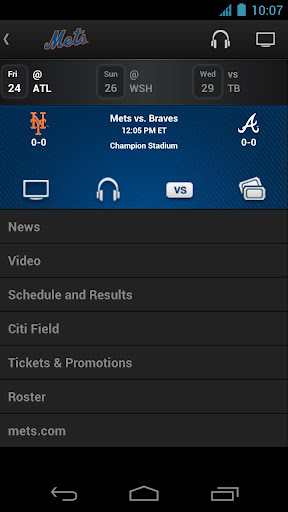
- Assign your favorite team for team schedules, tickets, rosters, and stats
- MLB.tv premium subscribers can unlock all the features of the app and watch live games
At Bat Premium
- Access real time pitch tracking, box scores, and play by play
- Listen to live radio broadcasts of every game
- Choose your audio feed (I’m waiting for the Portuguese play by play for the Yankees)
- Watch in-game highlights
- Watch live game action (blackout restrictions apply)

The default view in the news section but a dropdown menu gives users the option to filter the news to individual teams. Articles are culled from MLB.com and have embedded video highlights in the articles. Most writers are available to follow via Twitter to give fans some extra insights on their favorite teams. Phillies fans should check out Todd Zolecki
The app will play out of your equipment’s speaker by default, but sometimes that’s not the best option. There are a few ways to listen to the game in the car which is great if you don’t have satellite radio and have lost the signal from the local station. Some cars have a dedicated iPhone docking port. Others have a dedicated auxiliary input. Some cars have it labeled “Aux.” A cable like this one will take care of you.
For cars without an auxiliary port, a Bluetooth speaker with an FM transmitter like the
Motorola Roadster will let you stream your music through your car’s FM radio. There can be a little bit of audio loss using the FM transmitter depending on which station you program the speaker to use. The audio cable will provide better audio quality.
This last one is on the house. I was surprised how hard it was to find a good clip from this movie without an obscenity. My girlfriend still hasn't watched the entire thing.


No comments:
Post a Comment